Products Controllers Scene-DMX-cas
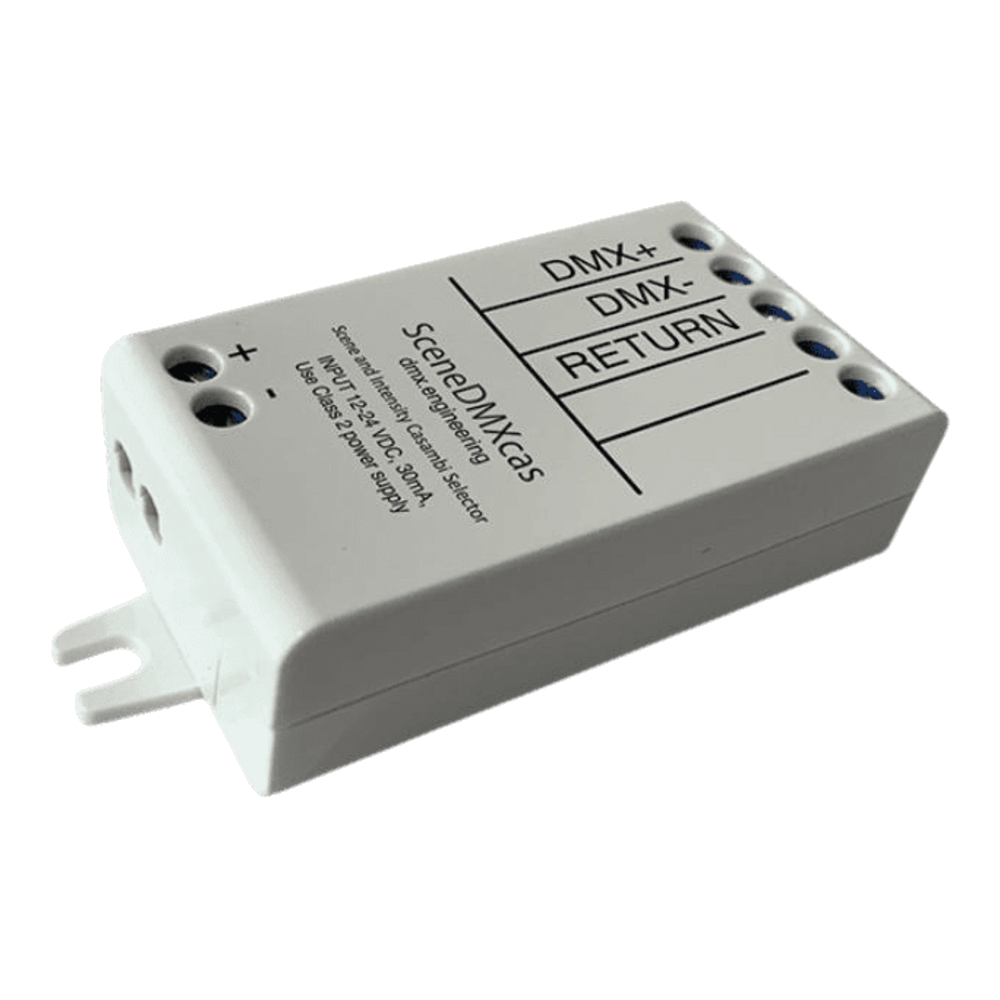
Scene-DMX-cas Scene-Based DMX Casambi Controller
Scene-DMX-cas

DMX Input Scene Selector with Casambi

Accepts DMX-512 input and translates channel values into Casambi scene recalls. Channel 1 selects from up to 20 stored scenes; Channel 2 sets intensity — giving existing DMX consoles or building automation systems direct control over a Casambi lighting network without any additional programming.

Key Benefits

Why choose the Scene-DMX-cas

Up to 20 scenes via DMX input

DMX Channel 1 maps incoming values to up to 20 Casambi scenes — letting an existing DMX console or building automation system trigger specific lighting looks. Channel 2 independently controls overall intensity.

Keypad & app scene recall

Scenes are triggered from the Casambi app on staff smartphones or mapped to physical Casambi keypad buttons — making one-touch scene changes accessible to non-technical staff in hospitality or events roles.

Casambi ecosystem integration

The Scene-DMX-cas sits alongside all other Casambi devices in one unified network. Schedule DMX scene changes alongside tunable white transitions, daylight sensors, and occupancy events from a single platform.

Technical Specifications

Specifications

DMX InputDMX-512 (3-wire, non-isolated)
Ch1 FunctionScene selection (up to 20 scenes)
Ch2 FunctionIntensity control
Supply Voltage12–24V DC, Class 2 (30 mA)
Wireless ProtocolCasambi (Bluetooth Low Energy)
Radio Frequency2.401–2.483 GHz, +0 dBm (±3 dB)
Operating Temperature-25°C to +45°C
Case Max Temperature+75°C
Storage Temperature-25°C to +75°C
Dimensions72.6 × 30.0 × 18.0 mm
Weight23 g
CertificationsETL Listed, FCC, ISED RSS

Downloads

Resources

Ready to order the Scene-DMX-cas?

Get in touch with your project details and we will confirm stock and pricing within the same business day.